Circles: Events – RSVP & Launch
- Find The Event
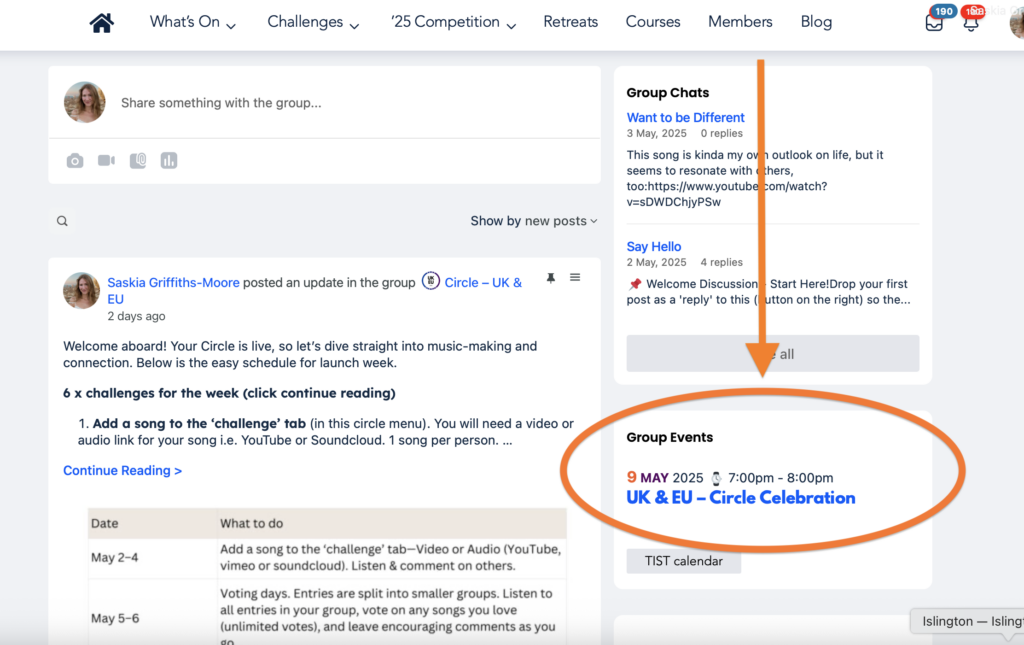
Inside your Circle scroll down and look for the event on the right – click on it!
2. RSVP & Launch
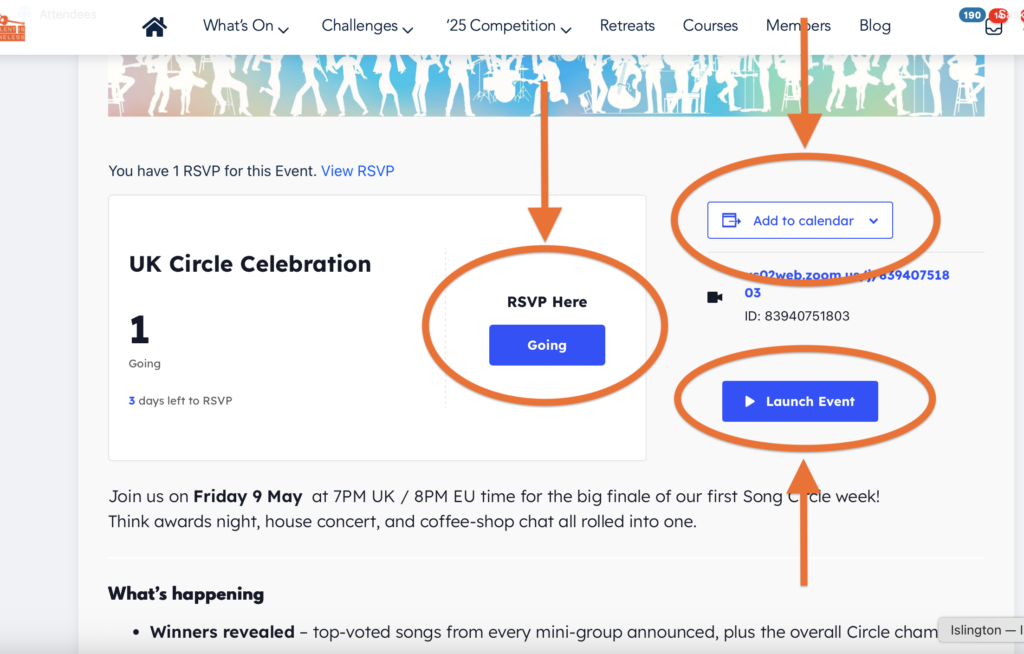
If you can attend, please RSVP by with the ‘Going’ button. Add your email and the system will send you a ticket.
You can add the event to your E-Calendar to improve your chances of remembering!
Just before the event time click the blue ‘Launch Event’ button to open up the zoom meeting.
3. RSVP’s On Your Profile
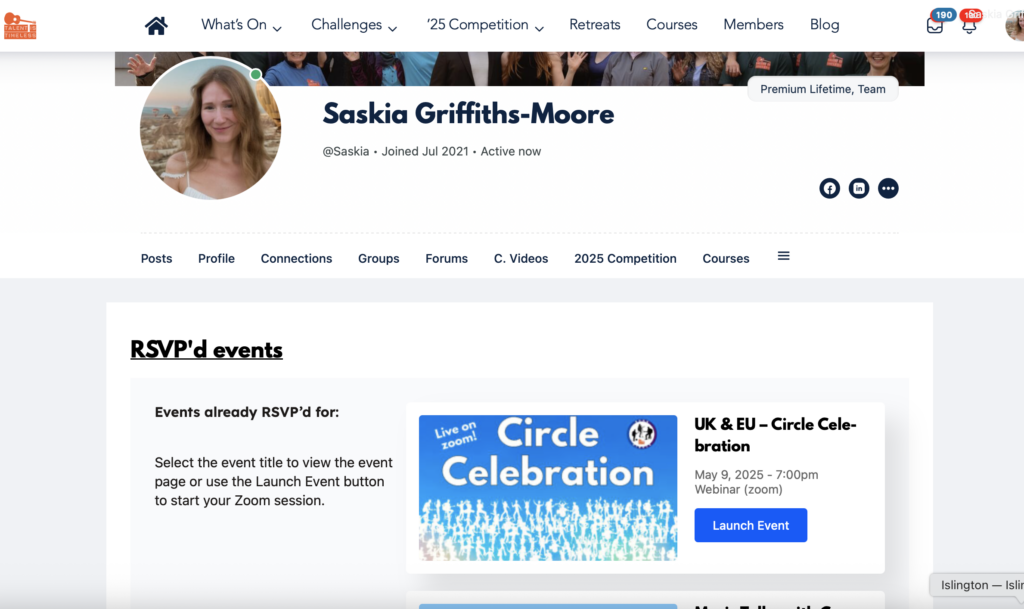
Bonus – Once you have RSVP’d for an event it will display under your profile. Head to your profile and click the tab for ‘Events’. On a mobile device you may have to click the hamburger menu on the far right to expand your profile menu options to see ‘Events’.
Leave a comment