Need help with your account or have a question about the contest? Here’s how to easily get in touch with our support team.
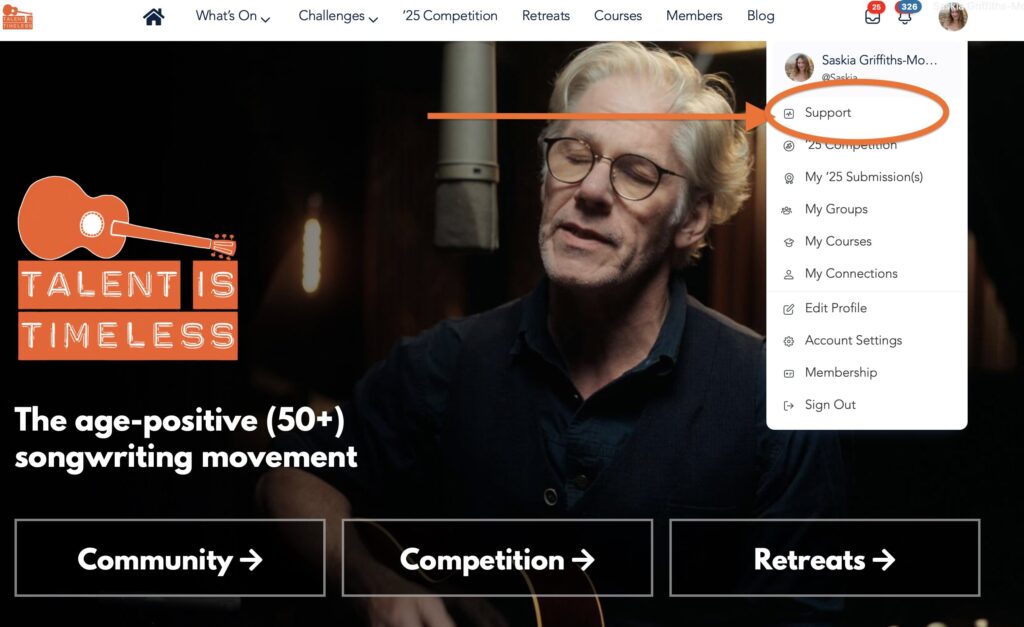
Method 1: Quick Access from Anywhere Once you’re logged in, simply hover your cursor over your profile image in the top right corner of the screen. A dropdown menu will appear – click on the first option which is “Support.”
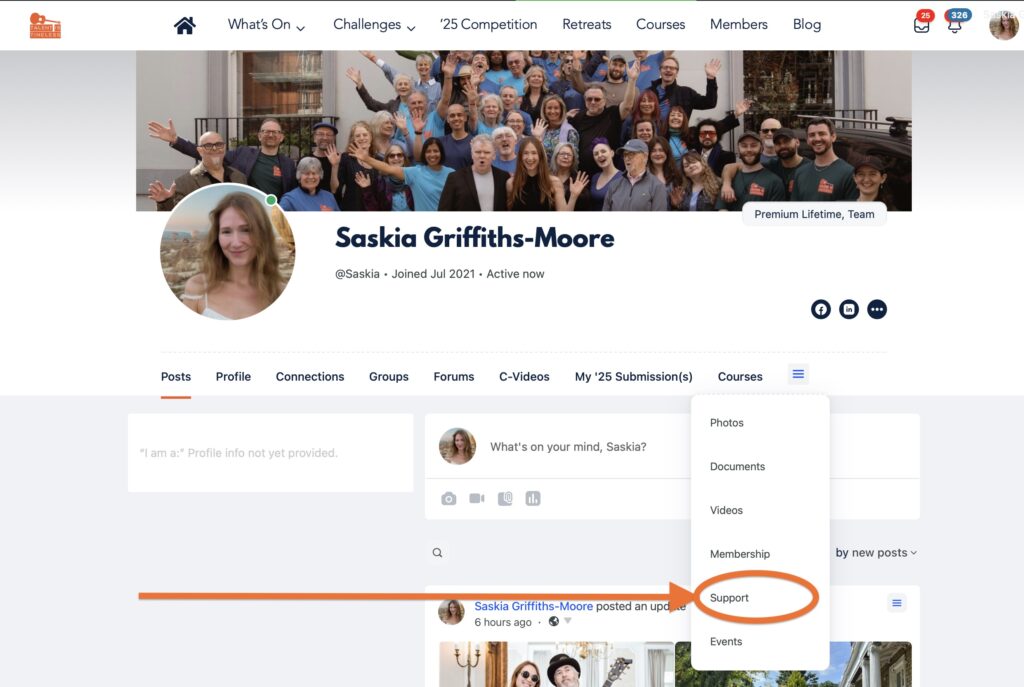
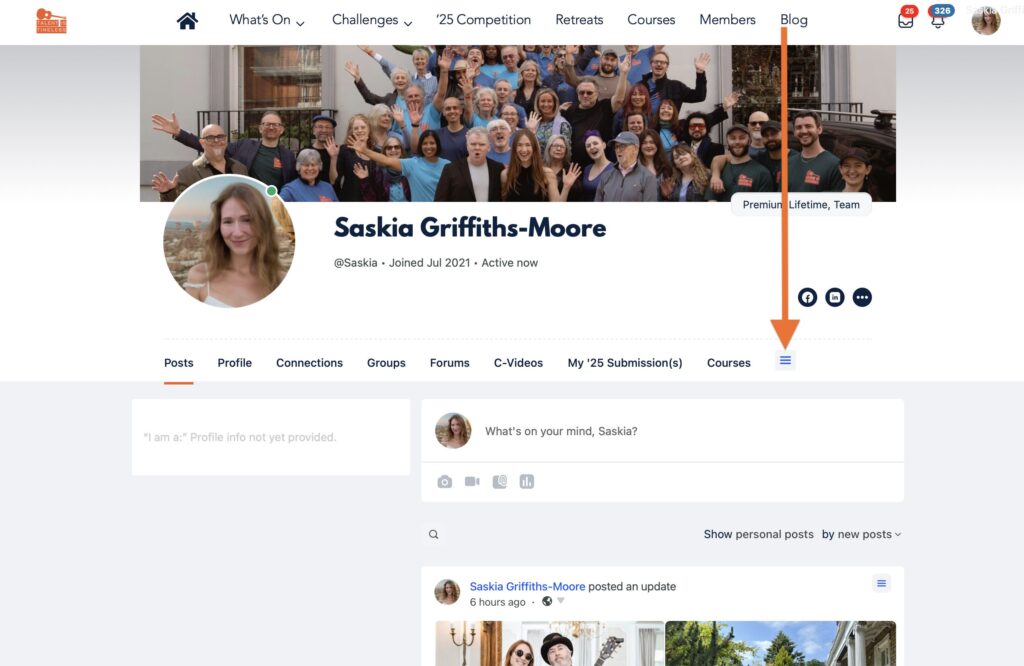
Method 2: Via Your Profile Alternatively, you can head straight to your profile page and look for the hamburger menu (three lines) on the right-hand side. Click on this to open up a new dropdown menu, then select the “Support” option.
What Happens Next Once you’ve clicked on Support through either method, you’ll be able to open a new support ticket for any questions or issues you’re experiencing. You can also read responses from our support team to any previous tickets you’ve submitted.
Our support team is here to help, so don’t hesitate to reach out if you need assistance!
 Talent Is Timeless is a global community of 29,000+ songwriters aged 50 and over, proving that creativity doesn’t come with an expiry date. Our members connect with like-minded artists, participate in monthly songwriting challenges, attend expert-led masterclasses, and compete in our annual contest—with winners recording at iconic studios like Abbey Road. Whether you’re returning to music after years away or writing the best songs of your life, you’ll find encouragement, feedback, and genuine connection here.