Circles: How To Vote!
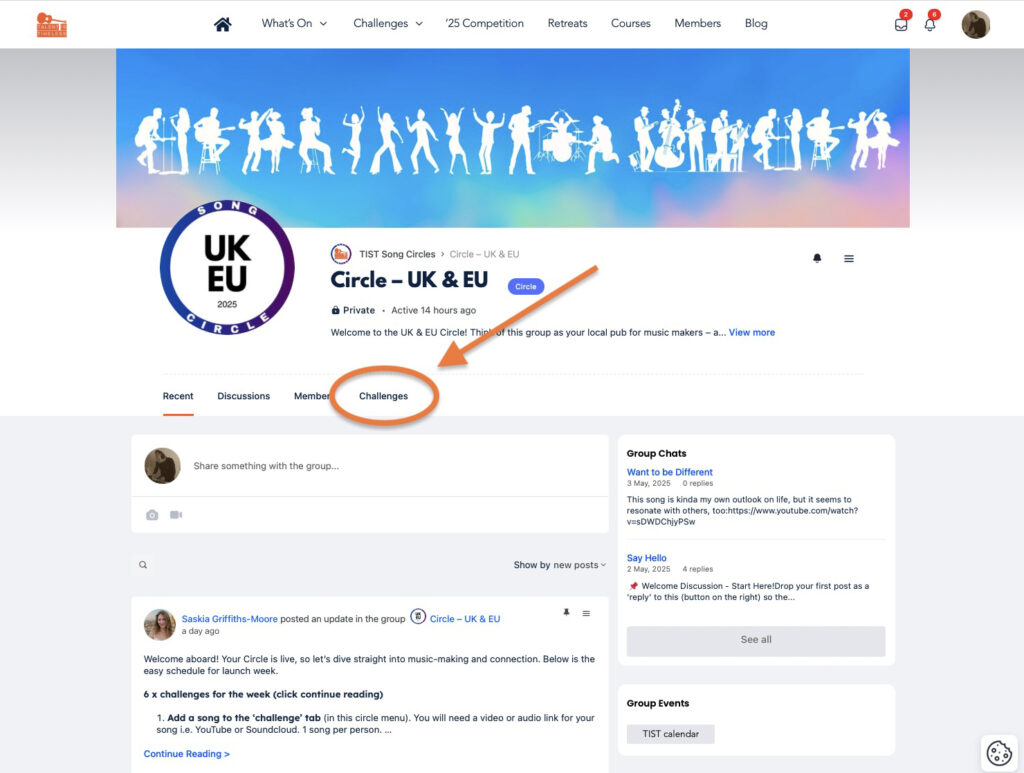
- Head to ‘Challenges’
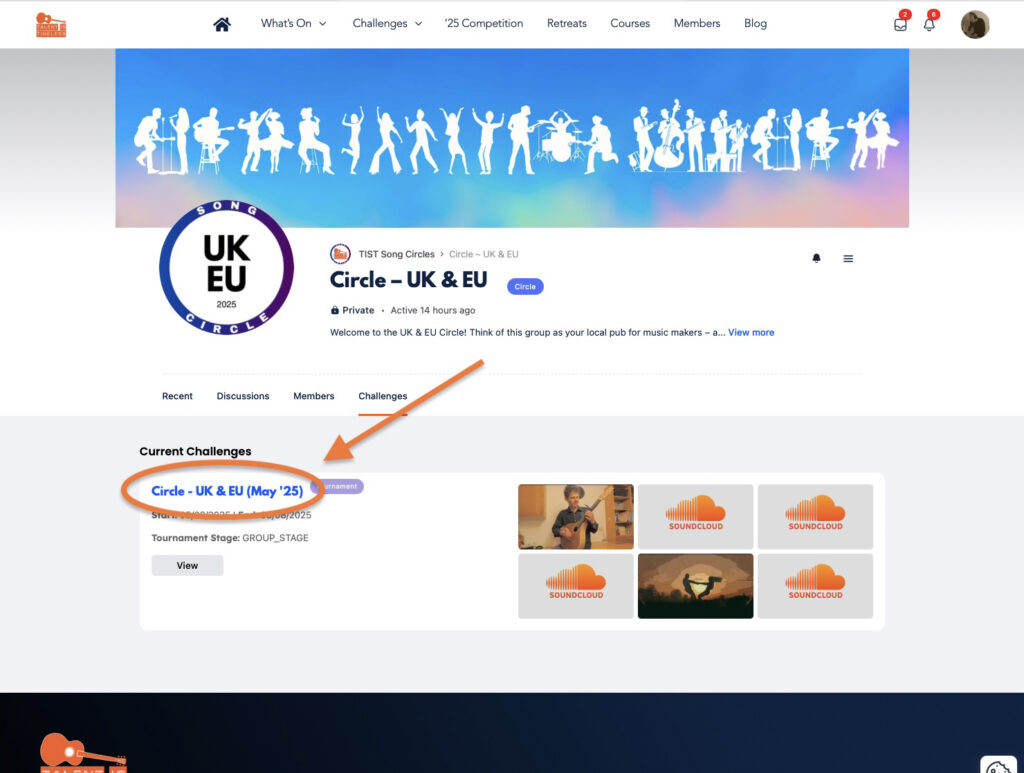
2. Click on the current challenge
3. You have been allocated to a ‘Group’ with a number
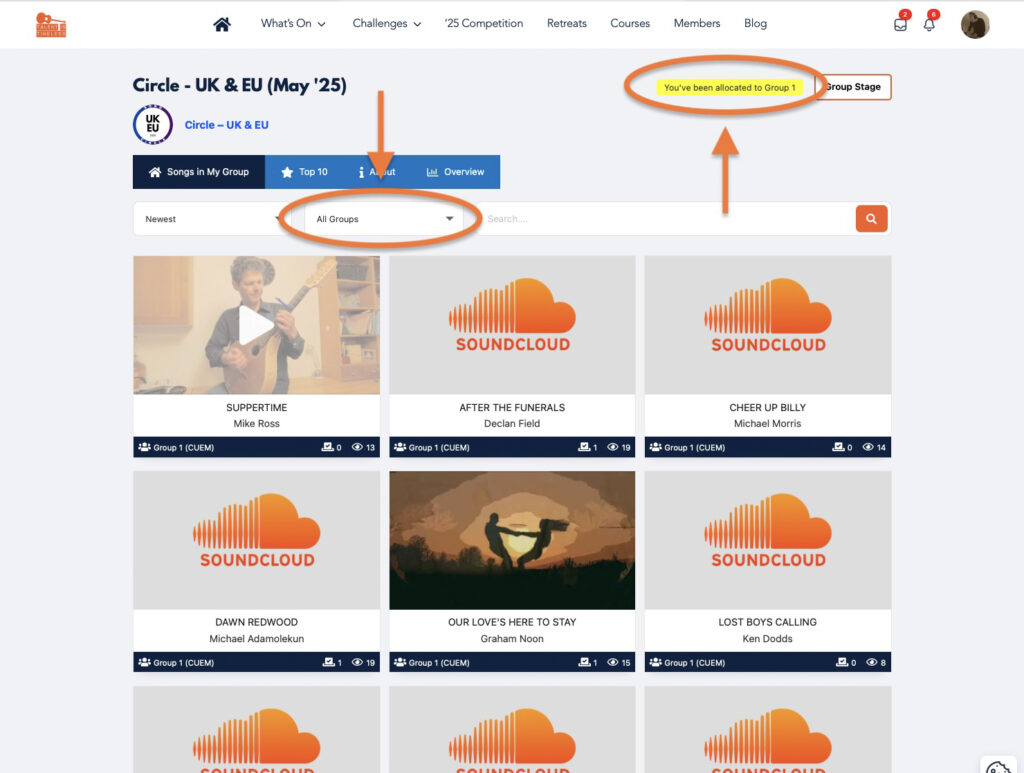
Click on ‘All Groups’ and choose your group number i.e. ‘Group 1’. You can only vote in your own group. Groups are max 20 people.
- Listen to all songs in your group
- Leave comments for songs you listen to
- Vote on as many as you like
4. Vote – or not!
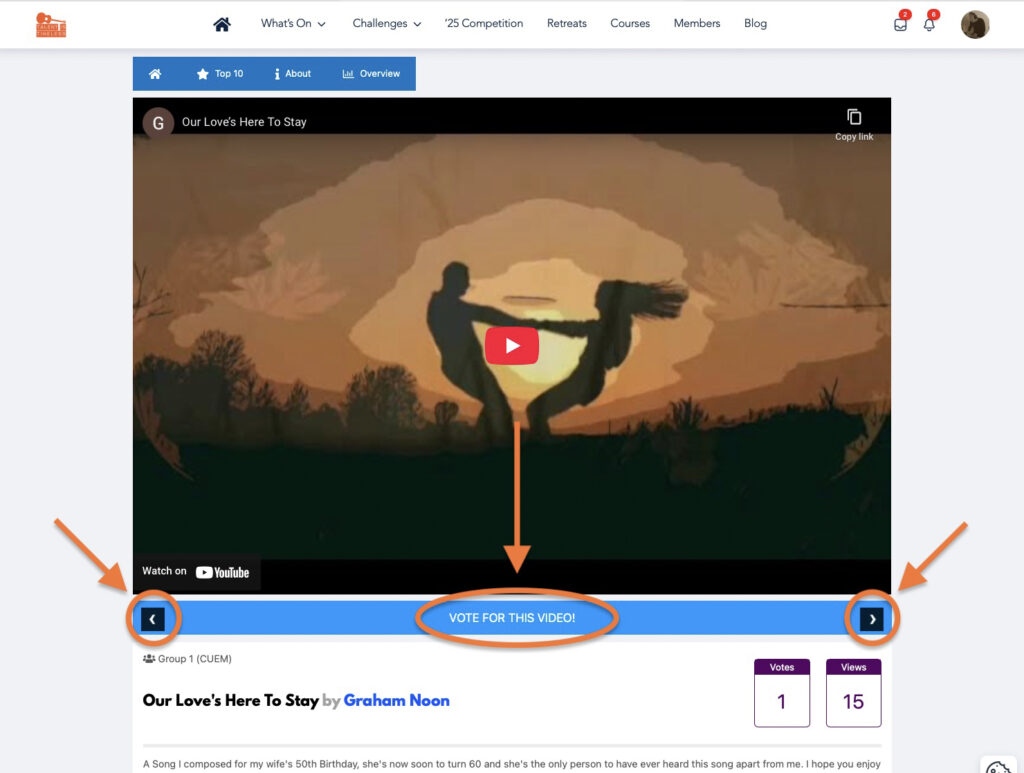
- Click between the songs using the right or left arrow on the blue bar
- Click the blue middle bar ‘Vote For This Video’ to add a vote to that song. Your vote counts as ‘1’, there are no ratings or scores.
- Leave a comment underneath all the songs you listen to
5. You have 2 days to cast votes & comments before moving to the final!
Then the whole circle votes on the top songs to decide the final winner!
Struggle to understand what happened after the group stage.maybe its just me but it doesn’t seem to be an easy site to navigate
Trying to vote in Final, but it won’t let me vote for songs I voted for in the first round.
How do I join a circle?
I don’t think you can. I’ve been seeing stuff to do with Song Circles for a while, got a bit nosy, and managed to get into one of the groups. When I submitted a song, just for fun, I got told off for messing around in a private group. My impression is that this is under development, although why it keeps leaking out into the wider world puzzles me a bit.
Thanks for that Pete
Yes – we are testing a new function – circles! It’s a mini monthly challenge and a smaller group for new site members. We will be expanding it to the whole site over the summer but for now we are still jsut testing….
Sounds interesting!